

Vending Machine Troubleshooting
Our machines are vintage and pre-loved. While they’re cleaned and maintained before and after each event, there may be the occasional moment when something needs a quick reset.
This page will walk you through a few simple steps to get things back on track.
Quick Check
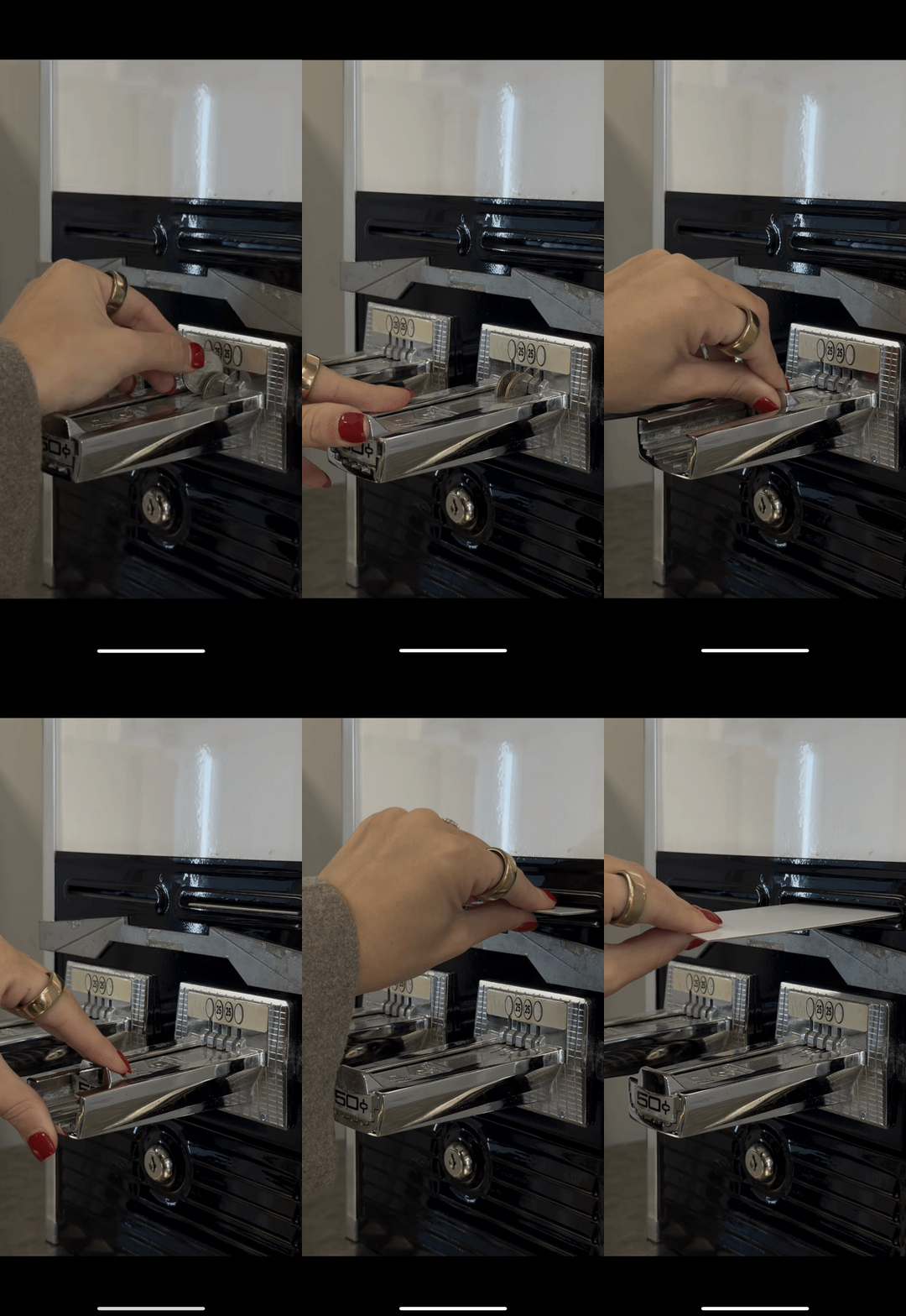
BEFORE ANYTHING ELSE:
Make sure guests are pushing the slider all the way in. You should hear a click & the token drop.
The slider should spring back & reveal the sleeve.
NOTE: Some of our machines may require the guest to pull back on the slider to reveal the sleeve.
If the Sleeve Appears
to Be Jammed…
IF YOU CAN SEE A SLEEVE
IN THE OPENING:
Try gently pulling it out.
Do not force it — it should slide out easily.
If it doesn’t release, you’ll need to open the machine.
If Nothing Dispensed After the Tokens Were Inserted…
If two tokens are inserted and the slider will not move back, that side is likely out of sleeves — this is normal, especially later in the evening.
If the machine accepts two tokens but nothing dispenses, or the slider gets stuck, proceed with troubleshooting…
Opening the Machine
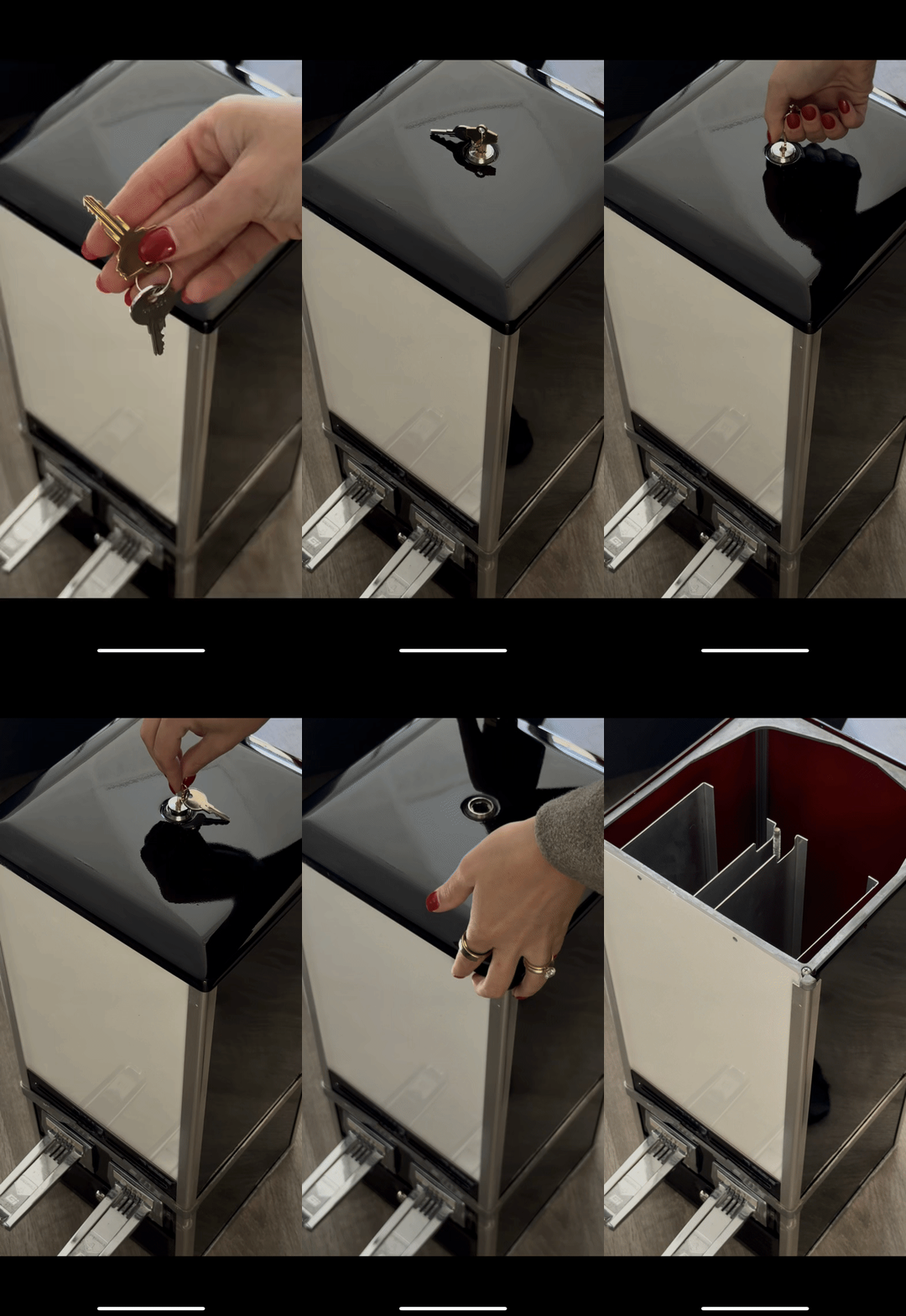
Locate the keys and use the gold key to unlock the top. Remove the lid carefully.
Important: Once opened, the top is no longer secured to the base, so you should not move the machine in this state. If you need to reposition it, do so before unlocking.
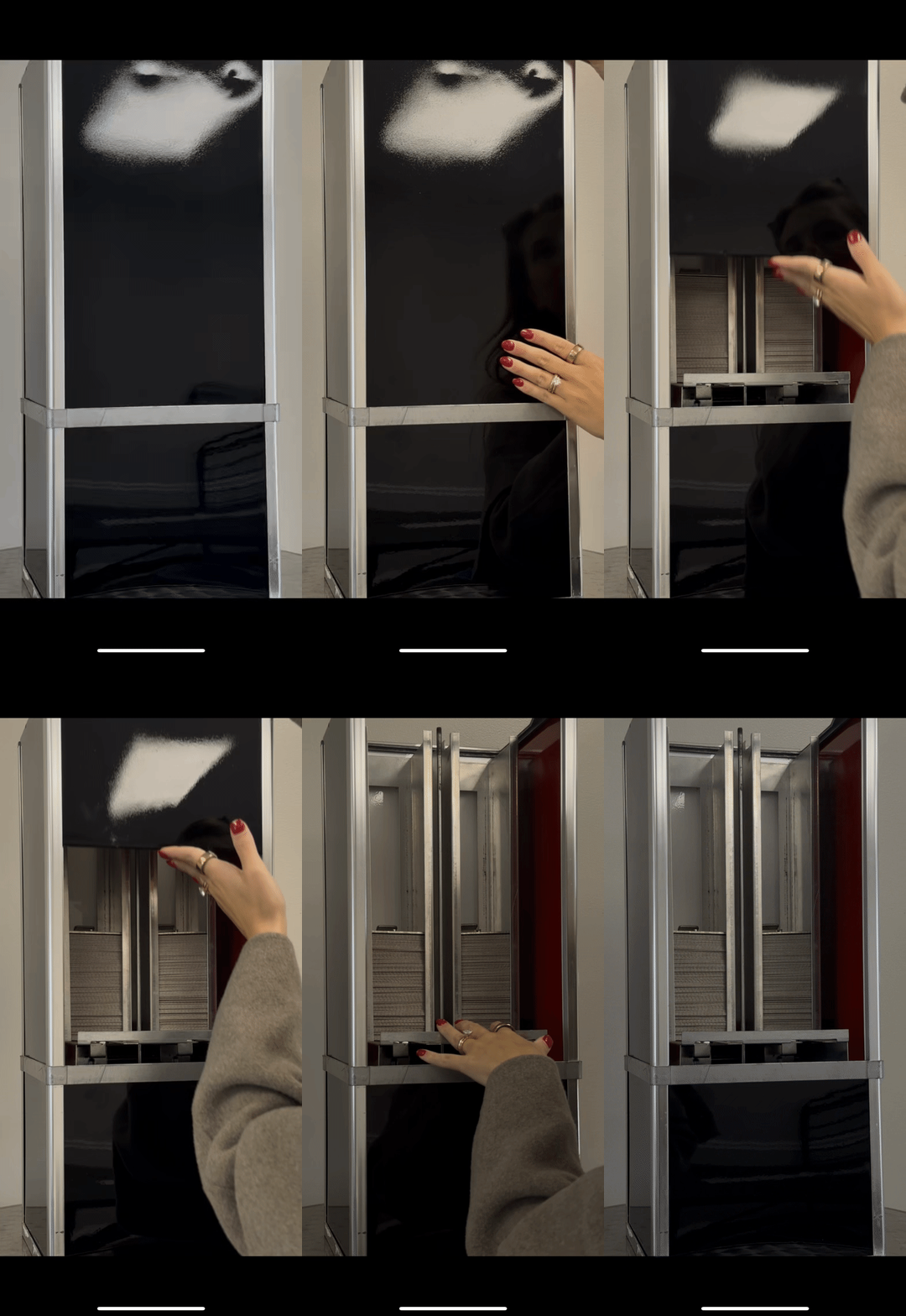
To get a better look into the machine, we recommend removing the back panel by gently pushing it in & sliding it up & out.
Inside each shaft, you’ll find foam blocks (both hard and soft) along with a metal plate. Take note of how they’re positioned before removing.
Inside the Machine
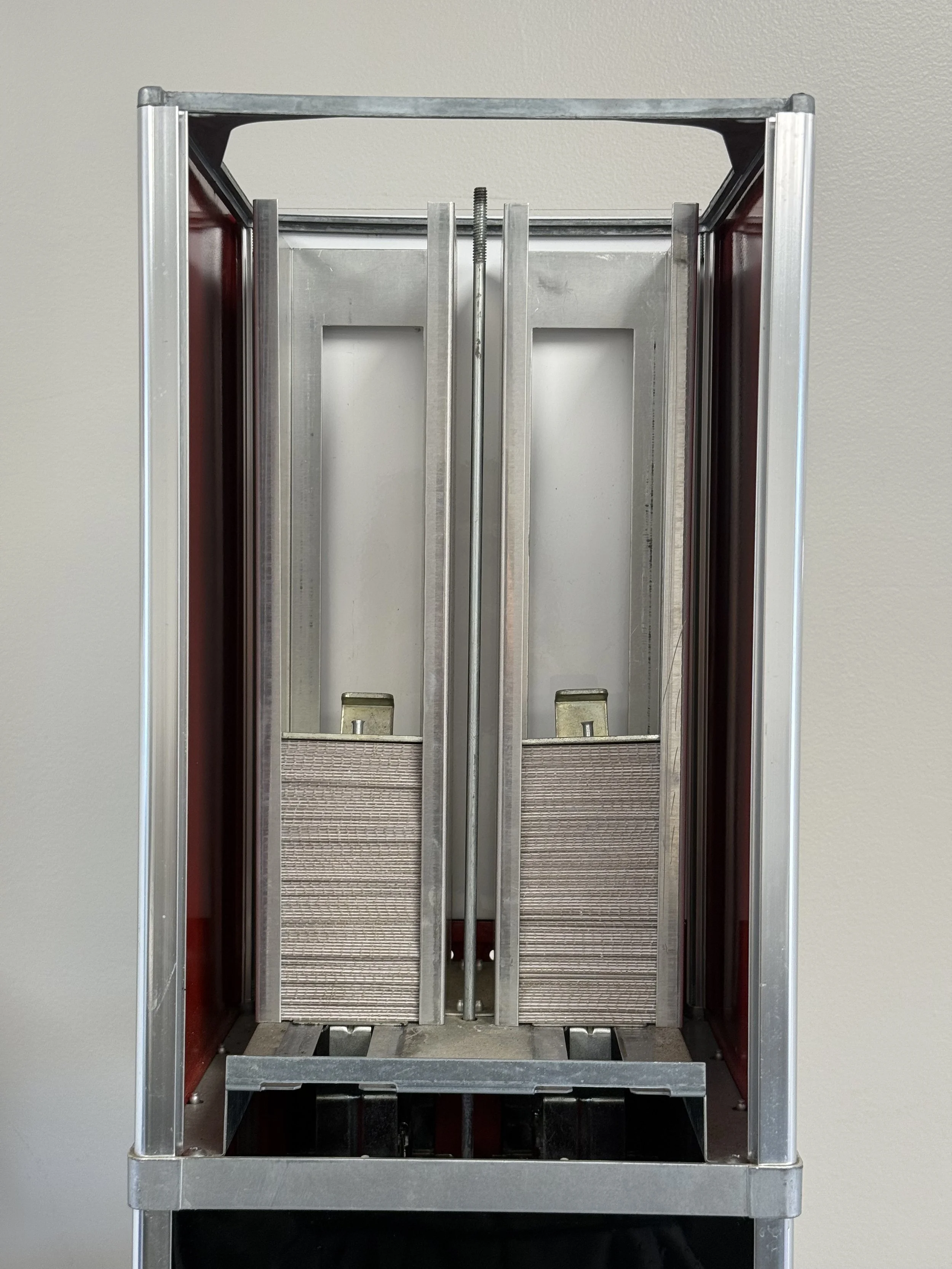
With the blocks & plates removed, it should look something like this…
We’ll want to start by accessing the carriage (aka the flat metal plate with a circular hole — see below) on the side that is giving you trouble.
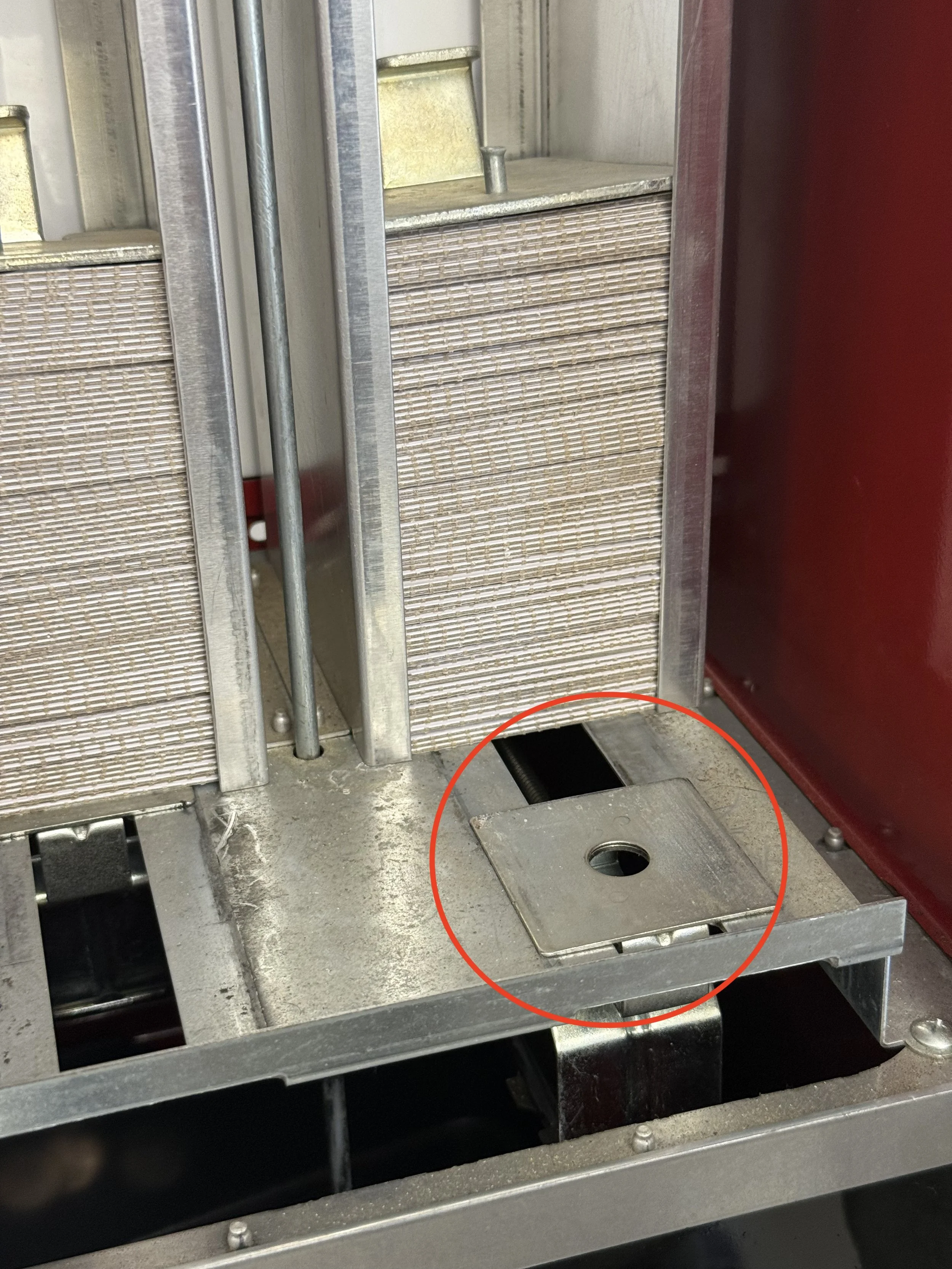
If the carriage is sitting behind the sleeves (as shown above), gently push it toward the sleeves and see if it springs back into place. If it stays stuck in that position, see here.
If the carriage is pressed against or underneath the sleeves, the bottom sleeve is likely caught — often visible. Do not try to force it. See here.
Carriage Stuck Toward the Back
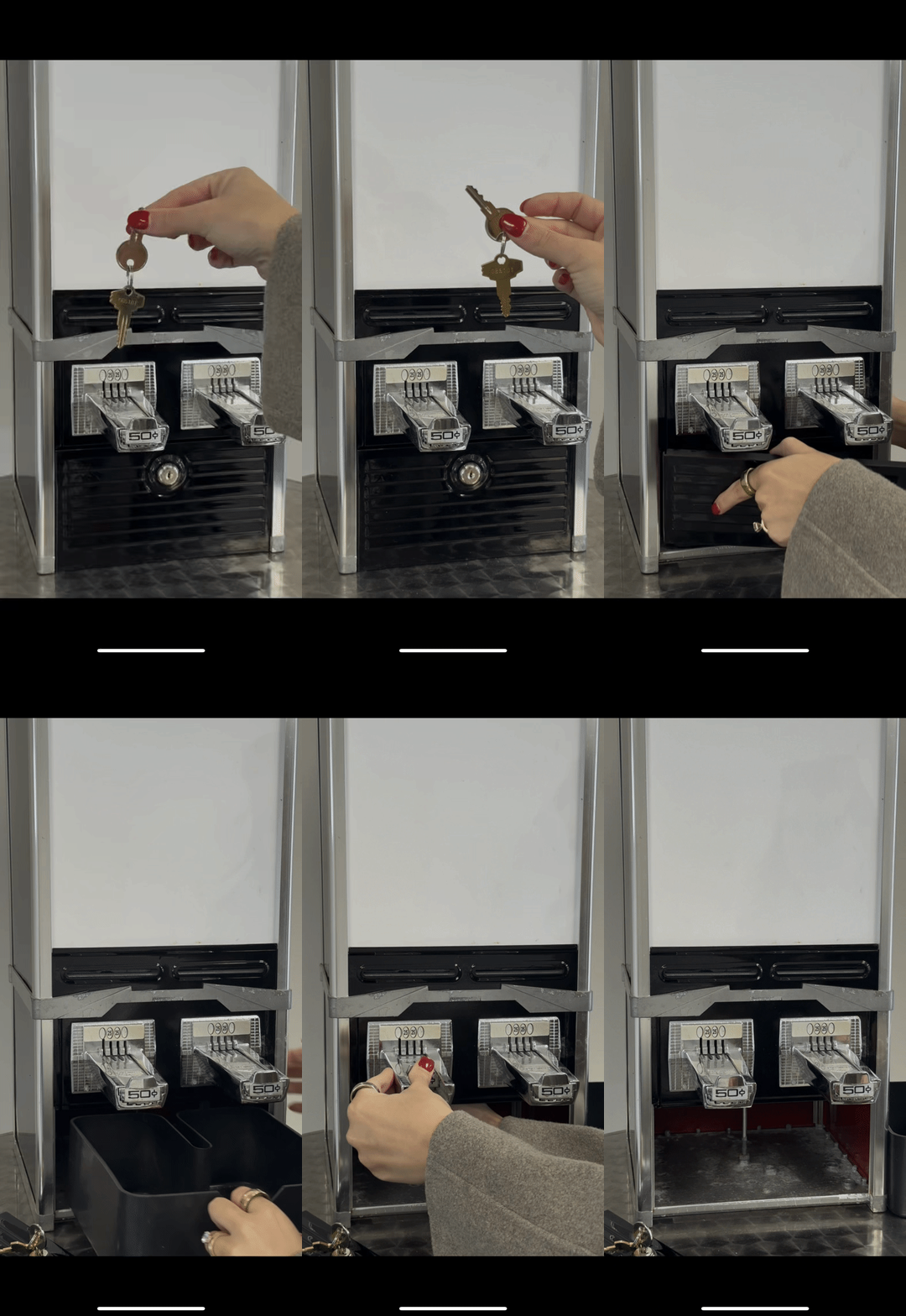
If the carriage is stuck toward the back of the machine, a token is likely caught.
To release it:
Locate the silver key on the key ring.
Unlock the coin compartment on the front of the machine.
Remove the coin bin.
Carefully reach up & remove the token.
Once cleared, the carriage should spring forward.
Note: Be mindful when reaching inside — once the token is released, the carriage may spring forward. Keep fingers clear to avoid pinching.
Reset the coin compartment and lock the machine. Re-insert the metal plates and foam blocks in their original position if removed.
Carriage Stuck Against or Under the Sleeves
If the carriage is pressed against or underneath the sleeves, the bottom sleeve is likely jammed.
To fix:
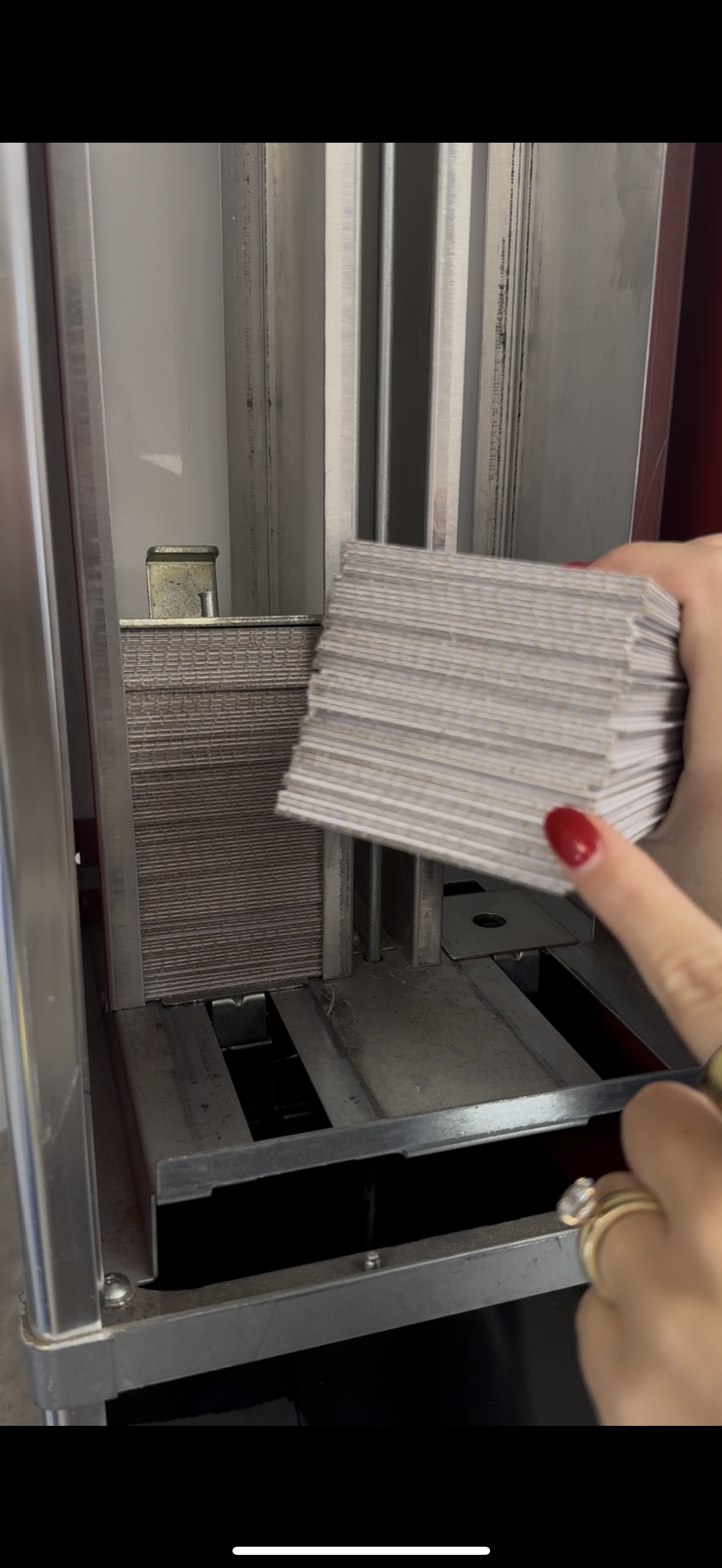
Carefully remove the stack of sleeves.
Keep them facing the same direction.
Set them aside in a neat stack.
Locate the bottom sleeve
It may be creased or slightly damaged.
Remove & discard that sleeve.
Once removed, the carriage should spring back into place.
Test Before Restocking
Before placing the sleeves back:
Insert two tokens.
Push the slider in & out.
Make sure the carriage is moving smoothly.
Restocking the Sleeves
Once everything is moving properly:
Place the sleeves back into the shaft
Keep them all facing the same direction
The ridged side of the sleeves should face the back of the machine (visible from the back panel — see below).
Place the metal plate & foam blocks back on top of the stack.
Secure the lid & lock the machine & get back to the festivities!
Still Having Trouble?
If something isn’t resolving, please feel free to reach out. We’re happy to help!
You can contact Izzy directly at 440-725-0921.